
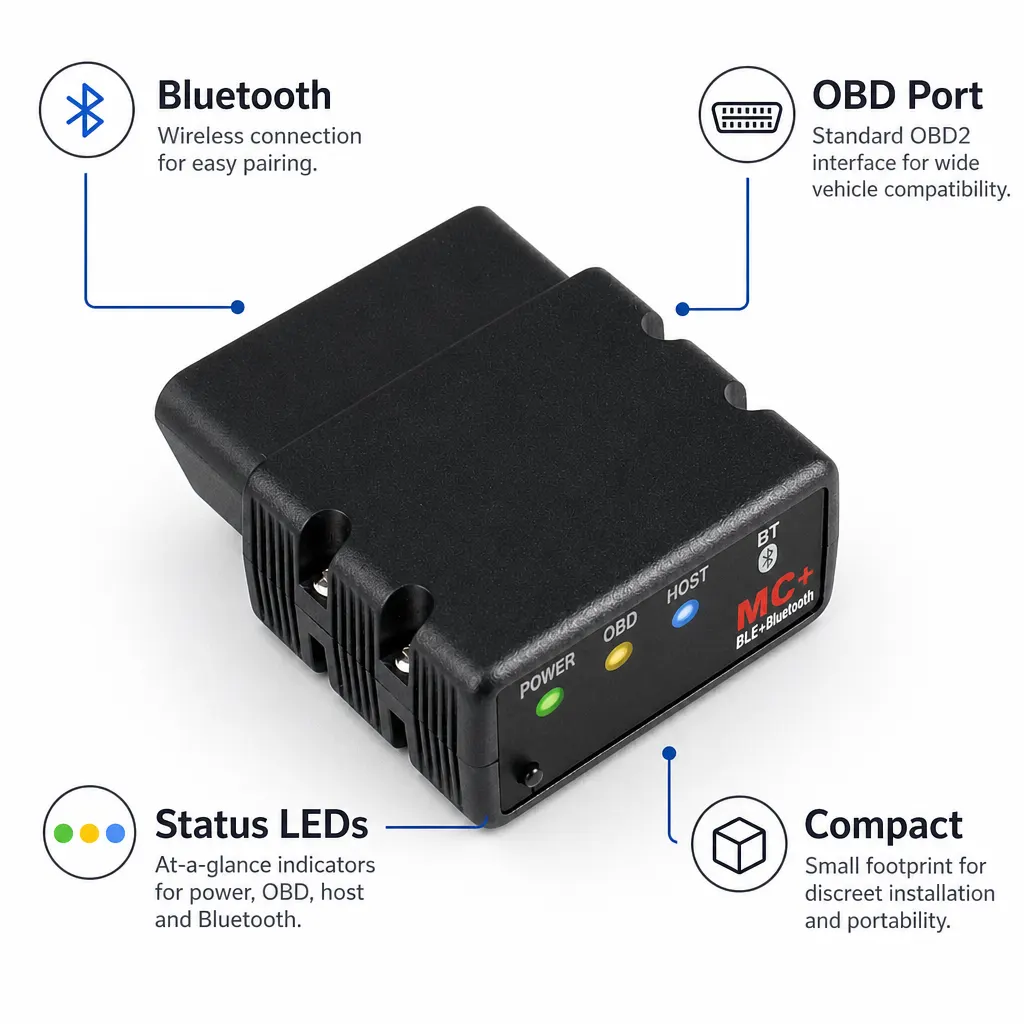
Short answer: A Bluetooth OBD2 adapter is useful only when the exact vehicle, phone and diagnostic app form a documented working combination. The current Obdreader page identifies this item as a Bluetooth 4.0 adapter in the vLinker MC+ configuration and lists 9–12 V operating voltage. Vgate's official page provides different connection routes for iOS and Android and directs users to the chosen app's own instructions. Before buying, define whether you need a basic engine-code check, app-based data or another task, then confirm that task with the app publisher and manufacturer. Do not assume that an OBD socket gives access to every vehicle system.
Start with the documented adapter identity
The Obdreader listing describes a Bluetooth 4.0 OBD2 vehicle diagnostic adapter in the vLinker MC+ configuration. It also lists 9–12 V operating voltage. Those facts identify the candidate product, but they do not provide a model-by-model vehicle list or promise a particular result from a warning-light check.
| Buying question | Published information | What still needs confirmation |
|---|---|---|
| Which adapter is listed? | vLinker MC+ configuration | The exact item and manual supplied |
| Which wireless description is used? | Bluetooth 4.0 | The connection route for the chosen phone and app |
| What voltage is listed? | 9–12 V | Suitability for the exact vehicle and instructions |
| Which vehicle systems are covered? | Not specified on the retail page | The required system for the exact vehicle |
Match the car, phone and app before ordering
Vgate's official MC+ page treats iOS and Android differently and says app steps vary. That makes the app publisher's current documentation part of the buying check. Record the vehicle make, model, year and required diagnostic task, together with the phone model, operating-system version and intended app. A vague claim that an app supports OBD2 is not the same as confirmation for this complete setup.
- Write down the exact vehicle and the warning or data question you want to investigate.
- Choose the intended app and check its official hardware, phone and vehicle requirements.
- Compare those requirements with the vLinker MC+ product identity and connection route.
- Confirm any unresolved system or model support with Vgate, the app publisher or the seller.
- Order only when the documented combination covers the intended first diagnostic step.
Keep the first vehicle check controlled
Follow the current Vgate manual and app instructions rather than a sequence written for another adapter. Keep the vehicle stationary in a suitable place, avoid obstructing pedals or driver movement and do not interact with a phone or scanner while driving. HSE vehicle-repair guidance places diagnostic work inside a planned task using suitable equipment and appropriate competence.
Save the displayed code or observation before changing anything. A code describes a detected condition; it does not by itself prove which component has failed or whether the vehicle is safe to use.
Limitations and reasons to choose another route
The retail page does not specify universal vehicle coverage, named control modules, a complete app list, included software, subscription terms, live-data channels, update terms or a guaranteed diagnostic outcome. The Vgate page also warns that third-party software or functions may involve separate charges. If your task depends on a named system, parameter or service function, obtain explicit current confirmation before buying.
Use a garage or a better-documented tool when the warning concerns braking, steering, airbags or another safety-critical system, when the vehicle has an urgent symptom, or when the available documentation cannot establish the required access.
Related guides and product details
Buy this adapter only after the exact vehicle, phone, app and required diagnostic task are confirmed as a documented combination. Read ELM327 Bluetooth 4.0 for iPhone: Check the App Route for related guidance. Read OBD2 Bluetooth Live Data: What Must Be Confirmed for related guidance. Review the documented specification on the Bluetooth 4.0 OBD2 Vehicle Diagnostic Adapter product page before ordering.
Sources and safety context
- Supports the Bluetooth 4.0, vLinker MC+ and 9–12 V retail descriptions Current Obdreader product page.
- Supports the separate iOS and Android connection routes, app-documentation boundary and third-party software charging note Vgate vLinker MC+ official product page.
- Supports planned vehicle work, suitable equipment and competence boundaries HSE motor vehicle repair.