
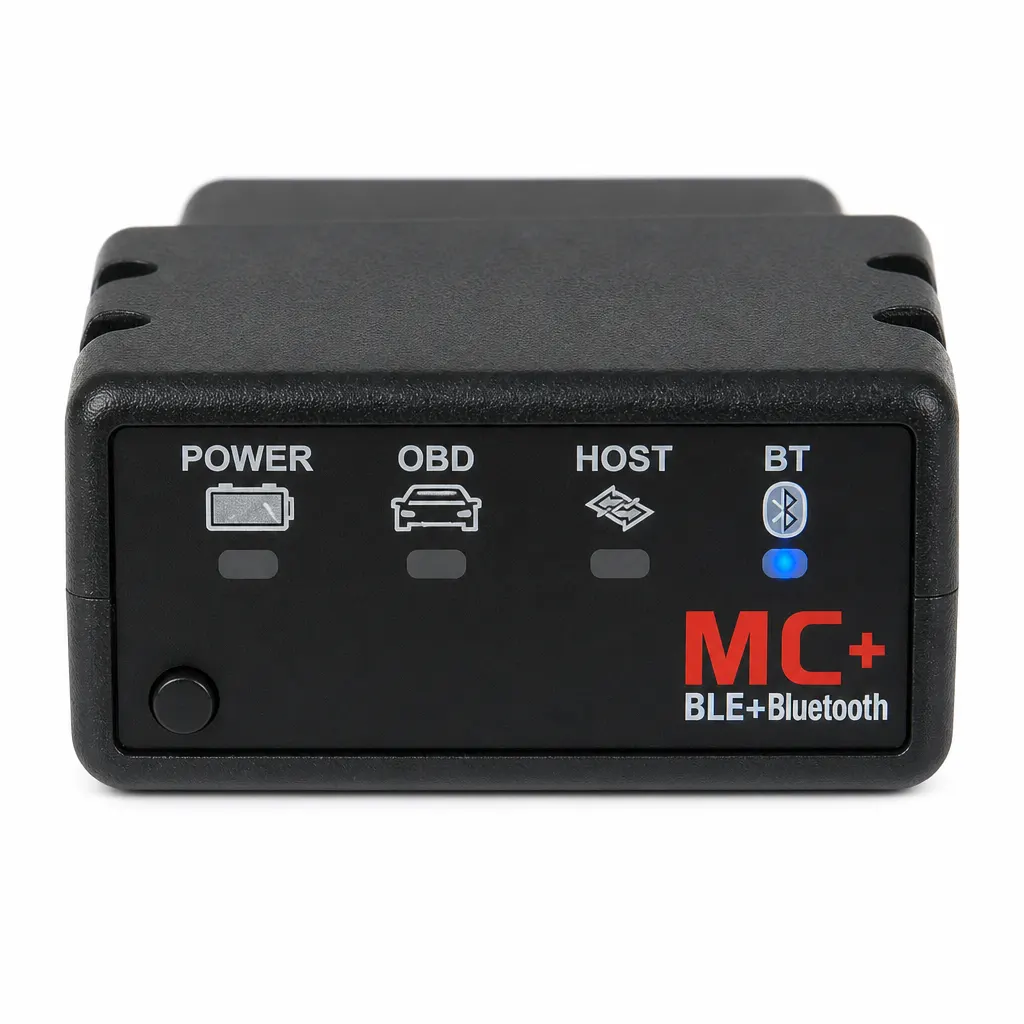
Short answer: For an iPhone, do not try to pair this vLinker MC+ adapter by following generic instructions for every ELM327-style device. Vgate's official MC+ page says iOS users should enable Bluetooth and continue to the connection settings inside the OBD app rather than selecting the adapter in the phone's Bluetooth device list. The Obdreader page confirms a Bluetooth 4.0 vLinker MC+ configuration and lists 9–12 V operation, but it does not name an included iPhone app or guarantee vehicle coverage. Choose the app first, read its official setup and compatibility information, and confirm the exact vehicle task before ordering or connecting.
Use the vLinker MC+ iPhone instructions
The official Vgate page identifies the product as vLinker MC+ and gives an iOS-specific sequence: connect the adapter to the vehicle, use the ignition position specified by Vgate, enable Bluetooth on the iPhone and complete adapter selection in the chosen OBD app. Vgate notes that app menus differ, so the app publisher's current instructions remain authoritative for the final steps.
- Select an iPhone app that explicitly documents support for vLinker MC+.
- Check the app's current iOS, vehicle and feature requirements before purchase.
- Read the Vgate instructions and the vehicle information before connecting.
- Enable Bluetooth, then configure the adapter through the app as the official route describes.
- Stop if the app, adapter identity or vehicle selection does not match the documentation.
Separate adapter, app and vehicle compatibility
Bluetooth 4.0 describes the retail adapter's wireless configuration, not the complete diagnostic setup. The app determines its own supported hardware and may limit vehicle features. The vehicle determines which data and systems are available. All three layers need current documentation before a buyer can expect a particular result.
| Compatibility layer | What is documented | Open check |
|---|---|---|
| Adapter | vLinker MC+ and Bluetooth 4.0 | Exact supplied hardware and manual |
| iPhone | Official iOS connection route is provided | Phone and iOS version accepted by the app |
| App | Third-party app is required | Price, features and current support |
| Vehicle | OBD2 vehicle adapter category | Exact make, model, year and intended task |
Record information without overdiagnosing
If the app displays a code, save the exact text, vehicle details and conditions under which the warning appeared. Do not jump from a code to replacing a named part. The retail page does not document guided diagnosis, repair procedures or access to every control module.
Keep the vehicle stationary while using the phone and adapter. HSE guidance for motor vehicle repair supports a planned approach with suitable equipment and competent action. Safety-critical warnings or unclear results belong with an appropriately equipped repairer.
Limitations before choosing an iPhone setup
The retail listing does not specify an included app, supported iPhone models, iOS versions, vehicle list, named protocols, data parameters, module access, subscriptions or update terms. Vgate lists examples of third-party software but does not make every feature free; follow the selected app's own current terms and compatibility records.
Do not buy solely because a search result says ELM327. Confirm the actual vLinker MC+ identity and required app route. Choose another adapter or a professional scan when the documentation cannot support the exact vehicle and diagnostic question.
Related guides and product details
Use the official vLinker MC+ iOS route and buy only after the chosen app confirms this adapter, iPhone and vehicle task. Read OBD2 Bluetooth Live Data: What Must Be Confirmed for related guidance. Read Bluetooth OBD2 Adapter UK: Compatibility Checks Before Buying for related guidance. Review the documented specification on the Bluetooth 4.0 OBD2 Vehicle Diagnostic Adapter product page before ordering.
Sources and safety context
- Supports the retail Bluetooth 4.0, vLinker MC+ and 9–12 V product identity Current Obdreader product page.
- Supports the official iOS in-app connection route and the instruction to follow app-specific information Vgate vLinker MC+ official product page.
- Supports planned work and competence boundaries around vehicle repair HSE motor vehicle repair.