Choose an obd2 scanner bluetooth live data setup by checking the missing facts first

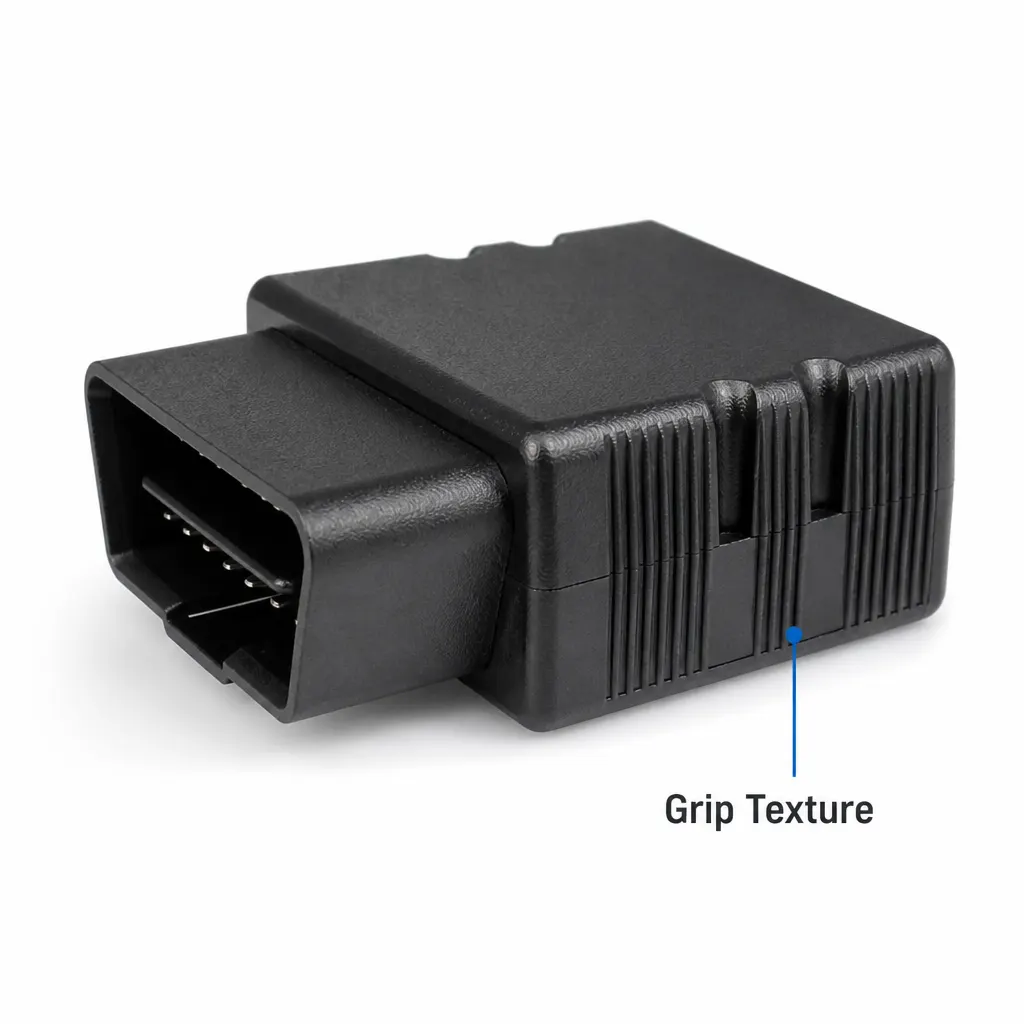
If you need live readings on a phone, do not buy an adapter on the phrase “OBD2 Bluetooth” alone. First confirm the documented Bluetooth version, the phone and app connection method, the vehicle systems covered, and whether live data is explicitly listed. For the Bluetooth 4.0 OBD2 Vehicle Diagnostic Adapter considered here, the recorded facts identify Bluetooth 4.0, a 9–12 V operating voltage and a vehicle diagnostic-adapter format in the locked vLinker MC+ configuration. They do not document a named app, phone compatibility, live-data channels or wider module coverage, so those points need checking before purchase.
That distinction matters to two very different buyers. A car owner at a home garage may want to investigate a warning light before booking work, while a small workshop may need a quick first read at a packing-sized tool bench or in a mobile van setup. In both cases, the sensible decision is not whether Bluetooth sounds convenient; it is whether the adapter’s published facts match the exact car, phone, app and diagnostic job. Treat live data as a requirement to verify, not an assumption created by the product name.
Set the job at a UK home garage or workshop bench before comparing adapters
Start by writing down what you want to know. “The engine feels uneven” is a starting symptom, not a specification. You may need a stored engine fault code, a current reading from a sensor, or simply confirmation that the adapter can communicate with the vehicle. A home mechanic might be deciding whether to investigate further or speak to a garage. A small workshop might want a quick first-stage check before reaching for a more specialised diagnostic system. Those are useful jobs, but they are not automatically the same as reading every control module.
The physical setting also affects the buying decision. At a driveway or garage bench, you need to identify the vehicle’s OBD2 socket and have a suitable phone or tablet ready. In a workshop, you may need a repeatable process that another person can follow without guessing how the wireless connection works. The documented adapter voltage is 9–12 V, so compare that with the vehicle and connection you intend to use. Do not infer extra vehicle coverage, continuous monitoring or a particular app from the Bluetooth label.
Check the documented facts against the phone, app and vehicle
A Bluetooth adapter is only useful when three parts agree: the vehicle, the adapter and the app. The product record confirms Bluetooth 4.0, but it does not name an iPhone app, Android app or operating-system pairing process. Before ordering, look for explicit documentation covering your phone or tablet and the app you plan to use. If the listing does not state whether connection takes place in the app or through the phone’s Bluetooth settings, ask for clarification rather than relying on advice intended for a different adapter.
Then check the vehicle side. The available product facts describe a vehicle diagnostic instrument but do not list supported makes, model years, OBD protocols, petrol or diesel coverage, or specific modules. That means you should confirm compatibility for the exact vehicle, particularly if the purpose is more than a general engine check. A 16-pin socket alone is not enough evidence that an adapter will access ABS, SRS, gearbox or manufacturer-specific systems. For live data, also look for a published list of parameters rather than assuming every sensor value will appear.
Use this comparison checklist at the buying desk
Before choosing an obd2 scanner bluetooth live data product, work through the checks in order. First, record the vehicle make, model, engine and year. Second, identify the phone or tablet and the app you intend to use. Third, match the adapter’s stated wireless standard to that setup. Fourth, confirm that live data is expressly documented if that is the main job. Fifth, check whether the required information is limited to generic engine diagnostics or includes the vehicle module you need. Finally, compare the adapter’s stated voltage with the vehicle connection.
For this particular adapter, the confirmed entries are straightforward: Bluetooth 4.0; 9–12 V operating voltage; vehicle diagnostic-adapter type; locked vLinker MC+ configuration. The unconfirmed entries are just as important: no public app list, no published live-data parameter list, no listed vehicle coverage, no stated module coverage and no kit contents in the supplied facts. A useful decision is therefore “documented match”, “needs confirmation” or “not suitable for this job”. That is more reliable than judging it by a generic ELM327-style description or by price alone.
Spot the mismatch between live-data hopes and generic diagnostic scope
The biggest mismatch is expecting a small Bluetooth adapter to behave like a complete manufacturer-level scan tool. The supplied record calls this a vehicle diagnostic instrument, but it does not promise access to every electronic system. If your job involves airbag faults, ABS warnings, gearbox data, coding, service resets or manufacturer-specific functions, do not treat the general OBD2 description as proof that those tasks are supported. Ask for written confirmation of the exact function and vehicle before relying on it at a customer’s car.
There is a second mismatch around live data itself. A product title may attract people searching for live readings, but the public facts supplied here do not list live-data support or the values available. That does not prove the adapter cannot perform the task; it means the claim is not documented in the record provided. A careful buyer should pause at that point. If the required reading is coolant temperature, engine speed, fuel trim or another named value, obtain confirmation that the adapter and intended app can display it before committing to the setup.
Avoid buying it when the workshop job needs certainty the facts do not provide
Do not choose this adapter on the supplied information alone if you need a guaranteed iPhone or Android workflow, a named app, a published vehicle-coverage table, or a confirmed list of live-data parameters. Those details are central to the job and are not included in the documented product facts. The same caution applies if you are buying for a workshop where a failed connection would interrupt a customer appointment. A compact wireless format may be attractive, but convenience cannot replace confirmation of the functions you actually need.
It is also a poor match if you expect one reader to replace specialist equipment across a mixed fleet. The record does not state that it reads ABS, SRS, gearbox or other manufacturer-specific modules, and it does not identify coverage for older vehicles or particular marques. For a warning light, the adapter may be considered as an initial diagnostic option only after compatibility is confirmed. It should not be used as a reason to ignore a serious symptom, continue driving without judgment, or assume that clearing a code has repaired its cause.
Follow a careful connection sequence at the car rather than guessing
Once the product, vehicle and app have been confirmed as a match, use a simple sequence. Park the vehicle safely and locate the OBD2 port under the dashboard if that is where the vehicle places it. Plug in the adapter without forcing the connector, then follow the supplied instructions for the vehicle’s ignition state and the phone connection. Open the supported app only as directed, select the adapter if required, and wait for a confirmed connection. Do not invent a pairing method from another Bluetooth accessory, because different devices can use different connection workflows.
When connected, record what the app actually reports before changing anything. Save or photograph fault-code text, note the conditions shown with any live reading, and compare repeated readings rather than treating one number as a diagnosis. If the adapter will not connect, stop and check the vehicle, voltage, phone, app and connection instructions in that order. The adapter’s documented operating range is 9–12 V, but the supplied facts do not describe indicators, battery protection or connection troubleshooting, so do not leave it attached unnecessarily while investigating.
Take the next step by asking for the missing evidence in writing
The most useful next step is to turn your intended job into a short question for the seller or manufacturer. Ask whether the Bluetooth 4.0 adapter supports your exact phone and chosen app, whether it can display live data, which parameters are available, and which vehicle systems it can read. Include the vehicle make, model, engine and year. If you need ABS, SRS, gearbox or another named module, state that explicitly. A clear written answer is more useful than a broad statement that the product is a vehicle diagnostic instrument.
If the answers match, keep the setup narrow: use it for the confirmed diagnostic task, save the information shown, and escalate to a suitable garage or marque-specific tool when the fault needs deeper investigation. If the answers remain unavailable, choose an adapter whose documentation covers the job instead. For this product, the firm starting facts are Bluetooth 4.0, 9–12 V operation and the vLinker MC+ vehicle diagnostic-adapter configuration. The buying decision should rest on the additional compatibility and live-data evidence, not on assumptions the record does not support.